Browsing the Database
There are two ways to browse the database:
- from the Database main page word lists,
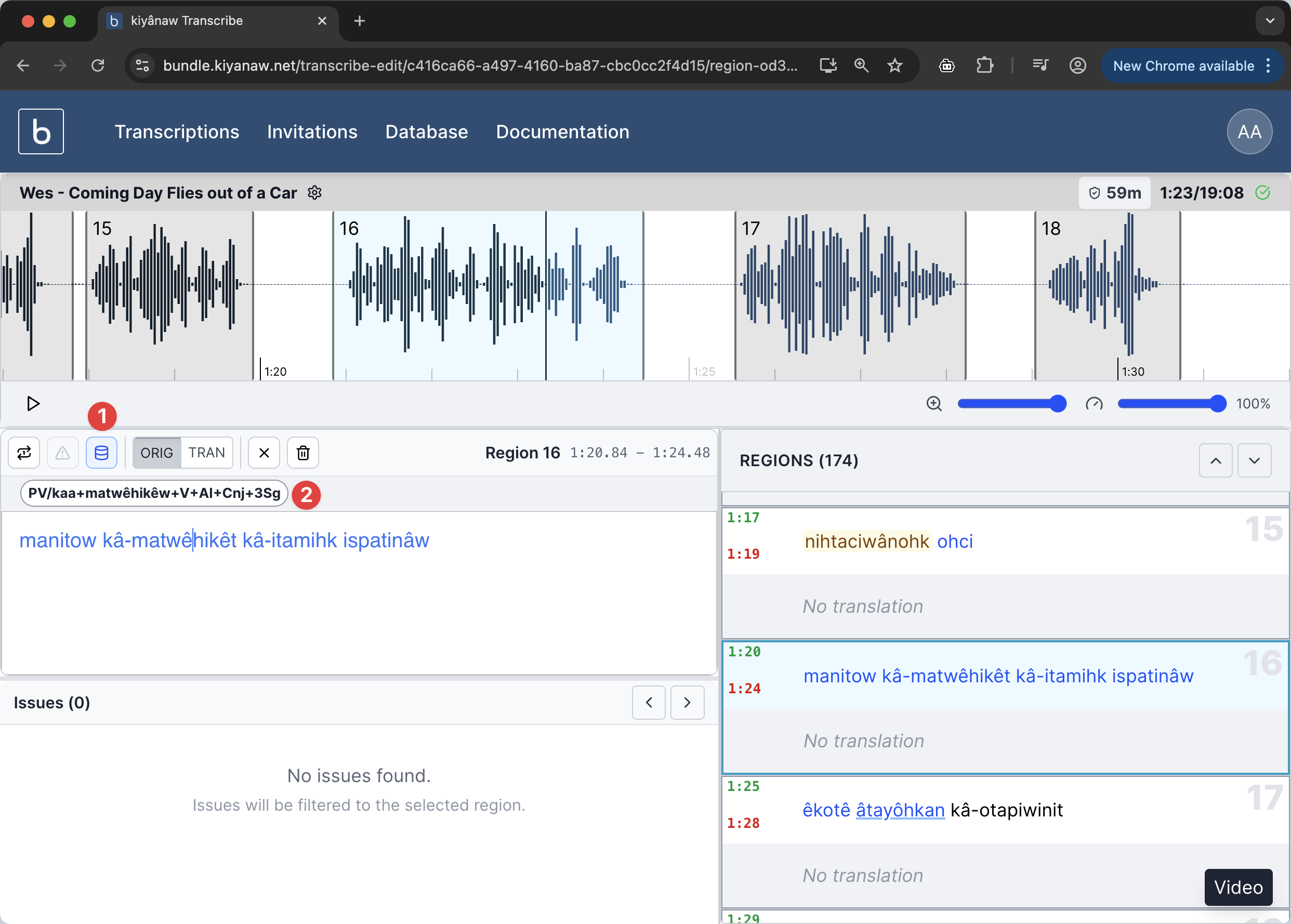
- from Transcribe by putting your cursor within an analyzed word and clicking the Database icon.
Selecting from the Word Lists
By default the word lists on the database home page will show the 500 most frequently-used verbs and nouns encountered within the available analyzed material for your language.
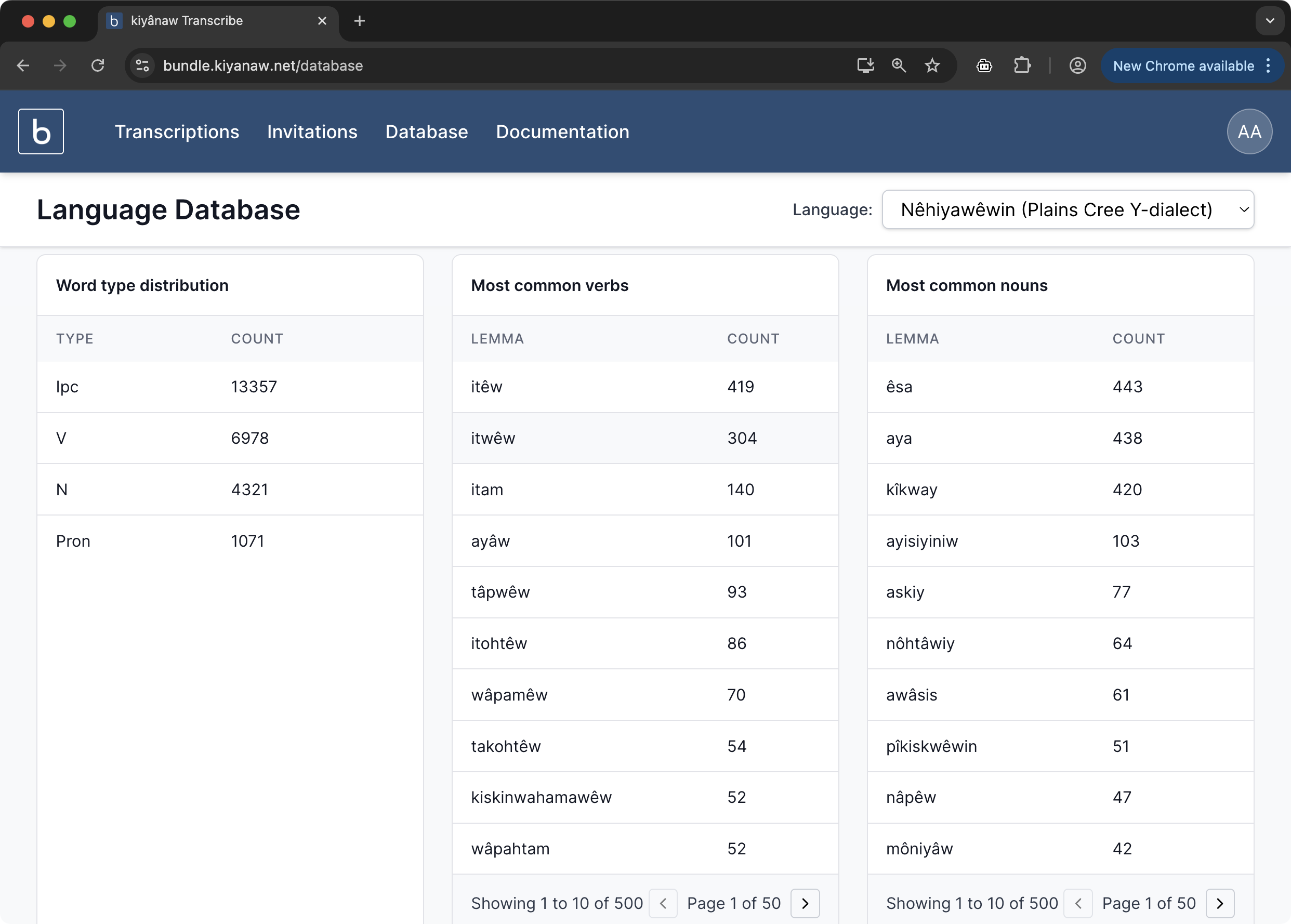
You can paginate through these lists to see some of the less-frequently encountered words. Clicking on one of these words will take you to the Lemma page
Navigating from a Transcription
When a word is analyzed (spell-checked) there will be one or more analyses 2 available in the transcription editor context bar when you click within the analyzed word. Once the cursor is within an analyzed word, the Database button will become available 1. Clicking this button will take you the Database Lemma page for that word.
Viewing the Lemma page
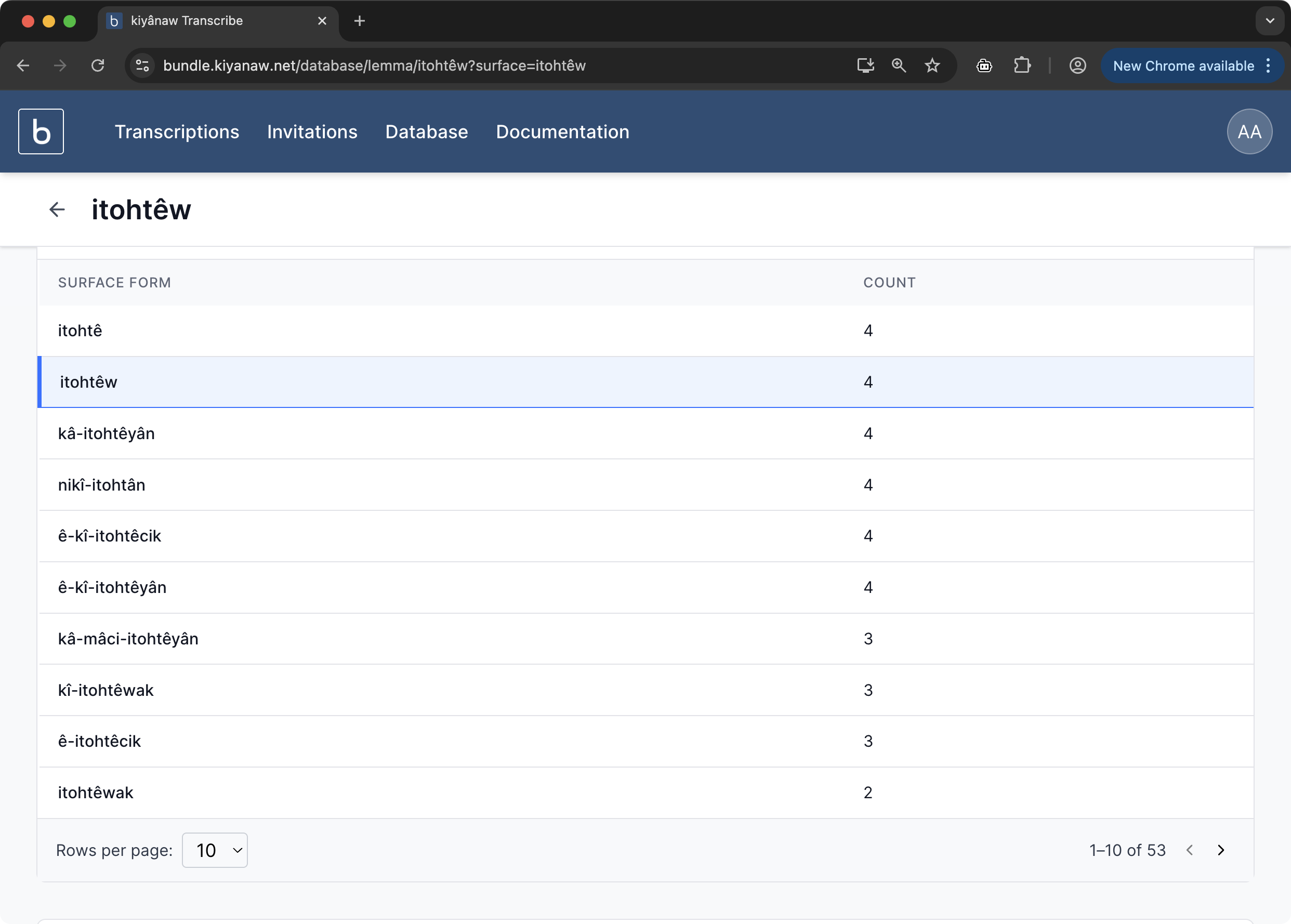
When first viewing the Lemma page you will see all of the available variations (surface forms) of a lemma grouped by count. You can paginate through the results to see less-frequently encountered forms.
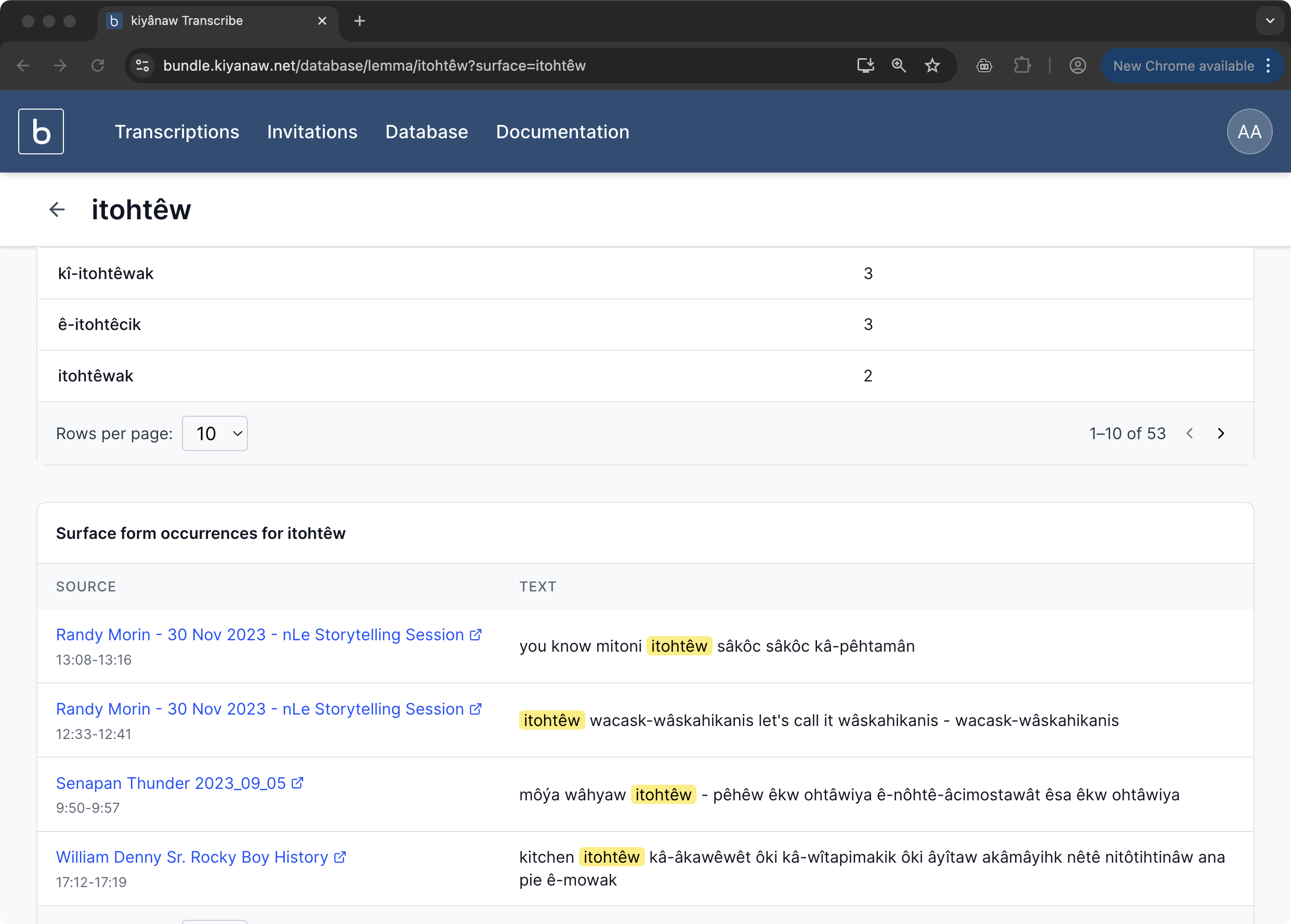
Clicking on one of the variations will populate the list of transcriptions at the bottom of the page where each of that particular variation has been encountered. This is useful so you can go and listen to that particular word form used in the context of the original telling.